
Google Shopping Dropshipping: How to Find the Variants Losing You Money (and Stop Them)
November 14, 2026
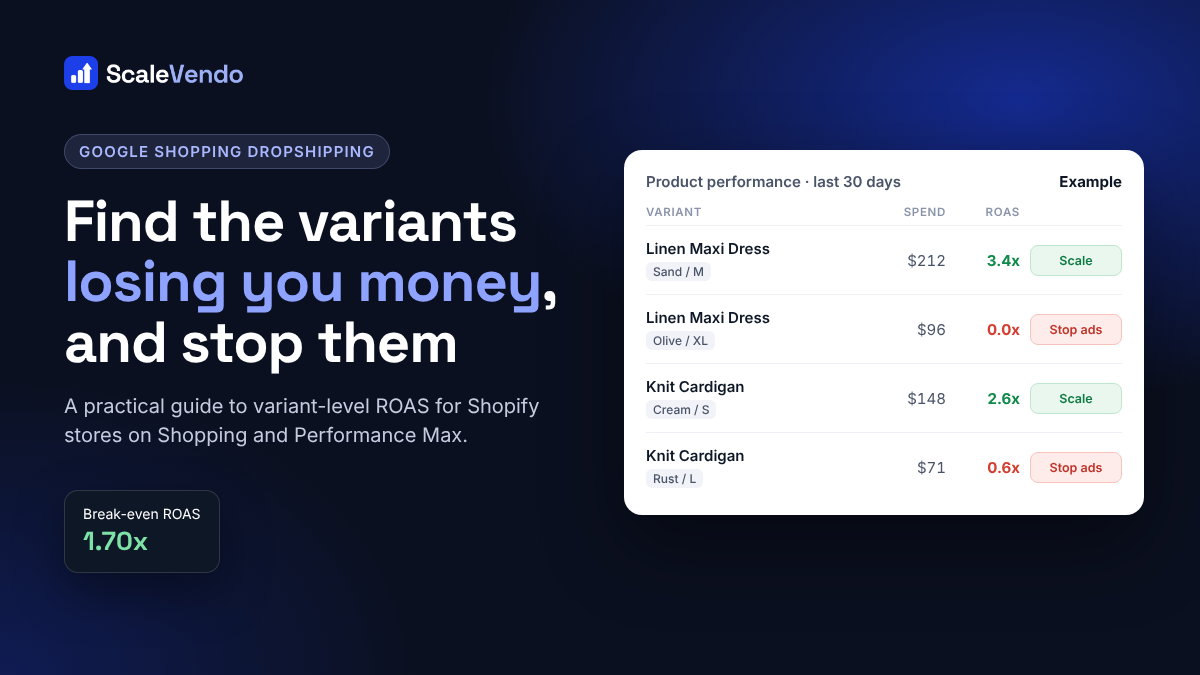
If you run a Shopify dropshipping store on Google Shopping, you've probably had this month: ad spend goes up, ROAS in Google Ads looks "fine", and yet there's less money in the bank than you expected. Most of the time the problem isn't the whole campaign or even the whole product. It's a handful of variants, one color or one size, quietly spending without selling.
This guide shows you how to find those variants, how to decide which ones to cut using your real break-even ROAS, and how to stop ads on them in Shopping and Performance Max campaigns without killing the rest of the product.
Why product-level ROAS hides your losses
In Google Shopping, every variant you sync from Shopify becomes its own item in Merchant Center, with its own item ID. Google bids, shows and spends on each one separately. But most store owners look at results per campaign, or at best per product, so the numbers get averaged together.
Here's what that looks like with an example product with four variants:
Variant | Ad spend | Revenue | ROAS |
|---|---|---|---|
Linen Maxi Dress, Sand / M | $212 | $720 | 3.4x |
Linen Maxi Dress, Sand / S | $84 | $250 | 3.0x |
Linen Maxi Dress, Olive / XL | $96 | $0 | 0.0x |
Linen Maxi Dress, Olive / L | $58 | $50 | 0.9x |
Product total | $450 | $1,020 | 2.3x |
At product level, 2.3x looks healthy, so nothing gets touched. At variant level, $154 of the $450 (34%) went to two variants that returned $50. Cut those, and the same product runs at roughly 3.3x on the spend that's left. Multiply that across a catalog of a few hundred products and it's often the difference between a profitable month and a losing one.
Step 1: Work out your break-even ROAS
Before you can say a variant is "losing money", you need the ROAS where you neither make nor lose money on an order. For dropshipping, that depends on your product cost, shipping and fees, not on a rule of thumb like "anything above 2x is good".
Break-even ROAS = selling price ÷ (selling price − product cost − shipping − transaction fees)
Example: you sell a dress for $49.99. Your supplier charges $18 including shipping, and payment and transaction fees come to about $2.50 per order.
Profit before ads: $49.99 − $18.00 − $2.50 = $29.49
Break-even ROAS: $49.99 ÷ $29.49 = 1.70x
So for this product, a variant at 1.5x ROAS is losing money on every sale, even though Google Ads shows it as "converting". A variant at 2.5x is making money. If you have a lot of refunds, add a buffer: a 10% refund rate pushes the real break-even closer to 1.9x.
Your target ROAS, the level where you're happy to scale, should sit comfortably above break-even. Many dropshippers aim for break-even plus 0.5x to 1x to cover refunds, apps and overheads.
Step 2: Find the variants that spend without selling
Doing it in Google Ads
In Google Ads, open your Shopping or Performance Max campaign and go to the Products report.
Set the date range to the last 30 days. Shorter ranges don't give most variants enough clicks to judge.
Make sure Item ID is shown as a column. That's what tells you which variant each row is.
Sort by Cost, highest first, and add columns for Conversions and Conv. value / cost (ROAS).
Download the report if you want to sort and filter it in a spreadsheet.
The hard part is matching item IDs back to real products. Shopify item IDs usually look like shopify_US_8123456789_45123456789, where the last number is the variant ID. You'll be looking those up in Shopify one by one to find out it's the Olive / XL.
What to look for
Use simple rules so you make the same decision every time. These are a good starting point for a store with a break-even ROAS around 1.7x:
Situation | What it usually means | What to do |
|---|---|---|
Spent 20+ (or 40+ clicks) with no sale | Google keeps showing it, shoppers don't buy | Stop ads on the variant |
Sells, but ROAS below break-even for 30 days | Each sale costs more than it earns | Lower the bid or stop ads |
Spent 8 to 20 with no sale | Too early to tell | Check again in 7 days |
Under 8 spent | Not enough data | Leave it running |
ROAS well above target with steady sales | A winner | Give it more budget |
Adjust the numbers to your prices. A store selling $120 products needs a bigger spend threshold than one selling $25 products.
Step 3: Stop ads on the variant, not the whole product
Once you've found a losing variant, there are three common ways to stop it. They're not equal.
Method | What happens | Downside |
|---|---|---|
Set the product to draft in Shopify | Every variant disappears from your store and the feed | You lose the variants that were making money |
Mark the variant out of stock | Google stops showing it | Shoppers can't buy it from your store either, and inventory gets messy |
Exclude the item ID in Google Ads | Only that variant stops getting ads | Needs care in Performance Max listing groups |
Excluding the item ID is usually the right call. The product stays live in your store, the good variants keep running, and you can bring it back any time.
How to exclude an item ID in Performance Max
Open the campaign and go to Asset groups, then the listing groups for the asset group that contains the product.
Subdivide the group that holds the product by Item ID.
Add the variant's item ID and set it to Excluded.
Save, and repeat for every asset group and campaign the product appears in.
In Standard Shopping campaigns it works the same way inside the ad group's product groups. Keep a list of what you excluded: after a few weeks it's easy to forget which variants you stopped and why.
Step 4: Re-check every week
Variant performance changes with seasons, stock and competition. A simple weekly routine keeps waste from creeping back:
Look at the last 14 to 30 days, sorted by spend.
Stop ads on new variants that hit your no-sale threshold.
Raise budget on variants well above target ROAS.
Every few weeks, restart a couple of stopped variants that may deserve another chance, for example a color that's coming into season.
When you add a new campaign, make sure your exclusions are applied there too.
Doing all of this in a few clicks
Everything above works with Google Ads and a spreadsheet, but it takes hours each week, and most of that time goes into matching item IDs to products. That's exactly why we built ScaleVendo for Shopify dropshippers on Google Shopping.
Product performance shows spend, revenue and ROAS for every variant, already matched to its Shopify product name, color and size.
Filter for things like "spend at least 20, conversions at most 0" to find losing variants in seconds.
Stop ads excludes that one variant in your Performance Max and Standard Shopping campaigns. Restart ads puts it back.
Stopped variants are re-applied every night and can be applied to all campaigns at once.
Add your supplier cost sheet and the Home page shows profit after product costs, fees and ad spend, not just ROAS.
You can read how it works step by step in our help guides on Product performance and stopping ads on a variant, or start a free 14-day trial and try it on your own store.
Frequently asked questions
What is a good ROAS for Google Shopping dropshipping?
There isn't one number for everyone. A good ROAS is one comfortably above your own break-even ROAS, which you calculate from your selling price, product cost, shipping and fees. For many dropshipping products break-even sits between 1.5x and 2.5x, so a target somewhere above that is common.
Can I exclude a single variant from Performance Max?
Yes. Each Shopify variant has its own item ID in Merchant Center. In the asset group's listing groups, subdivide by Item ID and set that ID to Excluded. The other variants of the product keep running.
How much should a variant spend before I stop it?
A common rule is to stop a variant once it has spent more than your profit on one sale, or about 40 clicks, without a single conversion. For lower-priced products the threshold can be smaller, for higher-priced products larger.
Will stopping ads on a variant remove it from my store?
No. Excluding an item ID in Google Ads only stops ads for that variant. It stays on sale in your Shopify store and in your Merchant Center feed.
Should I draft products that don't sell on Google Shopping?
Only when no variant of the product is working. If some colors or sizes sell, stop ads on the losing variants instead, so you keep the sales from the good ones.